 (208) 991-3502
 Meridian, ID






 December 31, 2025
Protecting your apartment gets tricky when you can't mount hardware permanently or run cables through walls. Most security cameras assume you own the property. Landlords restrict what you can install....
Apartment Security Camera Systems: 15 Best for Renters 2025
Protecting your apartment gets tricky when you can't mount hardware permanently or run cables through walls. Most security cameras assume you own the property. Landlords restrict what you can install. You need something effective that won't cost you your security deposit. Add in the confusion of wireless systems, cloud storage fees, and professional monitoring options, and finding the right apartment security camera system becomes overwhelming.
This guide breaks down the 15 best apartment security camera systems for renters in 2025. We cover everything from custom professional installations to budget DIY kits. You'll learn which systems work with adhesive mounts, which offer local storage to avoid monthly fees, and which provide the best value for protecting your rental. Whether you're securing a studio or a multi-bedroom unit, you'll find options that fit your budget and lease restrictions.
1. Treasure Valley Solutions custom apartment systems
Treasure Valley Solutions designs custom apartment security camera systems tailored to your specific rental situation. Based in Meridian, Idaho, they create solutions that protect your space without violating lease agreements. Their technicians understand the unique challenges renters face and work within those constraints. You get professional-grade security that looks clean and integrates seamlessly with your apartment's existing infrastructure.
What makes it apartment friendly
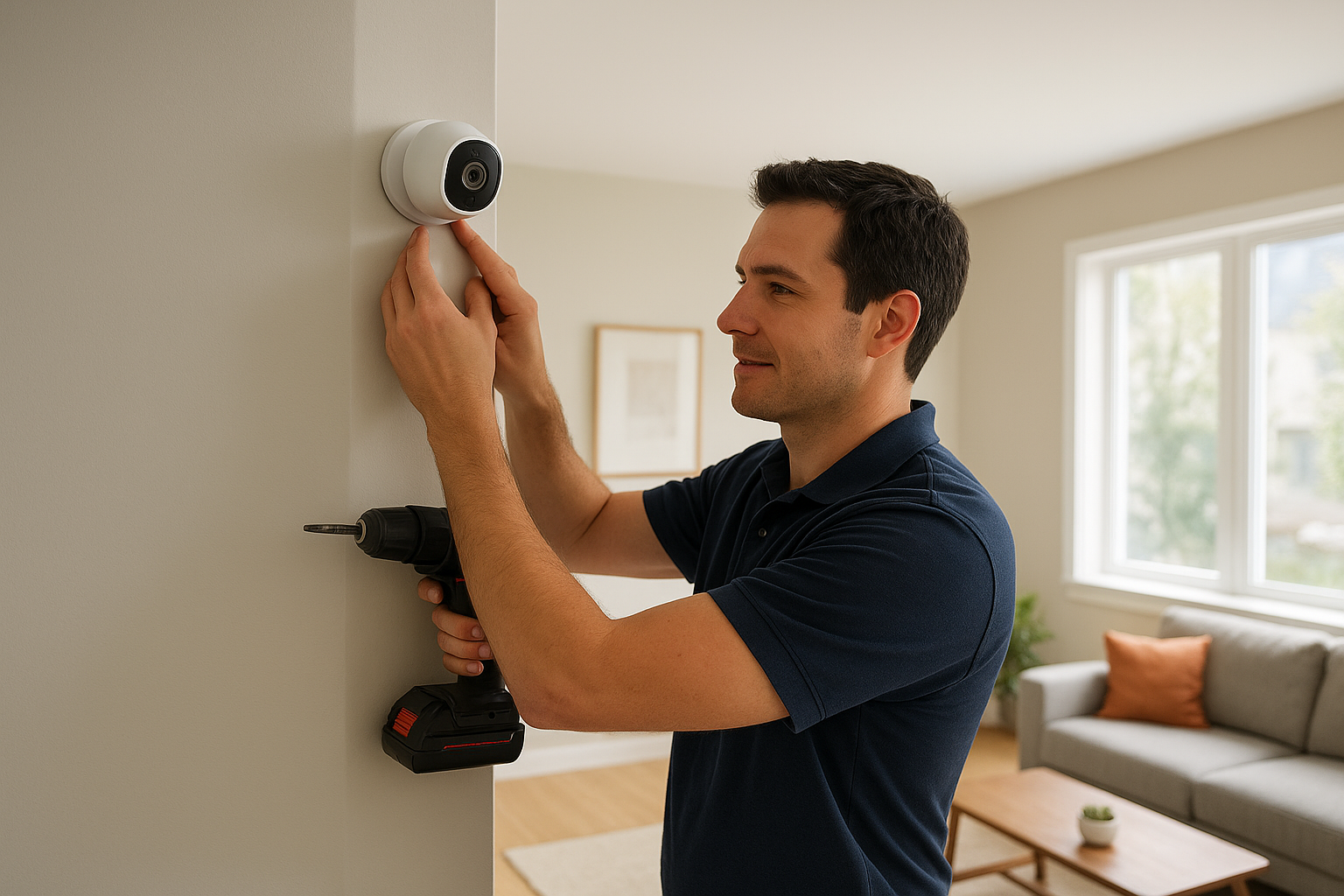
The installation team uses non-invasive mounting methods that preserve your walls and door frames. They focus on wireless camera placement and strategic positioning to maximize coverage without permanent modifications. Your system connects through Wi-Fi and battery-powered devices where drilling isn't allowed. The technicians can also work with property managers to identify approved installation methods for your building.
Best use cases for renters
You'll benefit most from this option if you want a fully integrated security solution across multiple rooms. Property managers choose Treasure Valley Solutions when they need consistent security infrastructure across several rental units. Families with specific concerns, like monitoring elderly relatives in an apartment, find the custom design approach particularly valuable. The system adapts to your unique layout and security priorities rather than forcing you into a predetermined package.
Custom design means you only pay for features you'll actually use in your rental space.
Setup and installation details
Licensed technicians handle the entire installation and programming process for you. They arrive with all necessary equipment, complete the setup, and test every component before leaving. You receive hands-on training on how to use your system. The team coordinates with your landlord when needed to ensure compliance with building policies.
Costs and subscription options
Pricing varies based on your specific configuration and coverage needs. You'll receive a detailed quote after an initial consultation where they assess your apartment's layout. The investment includes professional installation and ongoing support, eliminating the trial-and-error of DIY systems. Contact them directly for current pricing on apartment-specific packages.
2. SimpliSafe apartment camera kits
SimpliSafe built its reputation by creating security systems specifically for renters. The company understands apartment constraints and designs equipment that installs without tools or permanent modifications. You get professional-grade protection through wireless cameras and sensors that stick to surfaces rather than drill into them. The equipment includes indoor cameras, outdoor cameras, motion sensors, and entry sensors that work together through a central base station.
What makes it apartment friendly
The entire system uses peel-and-stick adhesive backing on sensors and wireless connectivity for cameras. You won't need to drill holes, run wires, or make permanent changes to your rental property. SimpliSafe's equipment comes down just as easily as it goes up when you move. The wireless design means you can reposition cameras and sensors without leaving damage behind. Battery-powered components eliminate the need for nearby electrical outlets in every location.
Best use cases for renters
SimpliSafe works best when you want straightforward apartment security camera systems without excessive features. The Core monitoring plan includes Intruder Intervention, where agents can view your indoor cameras and speak directly to intruders through two-way audio during alarms. You'll appreciate this system if you value simplicity over complex automation. Renters who plan to move frequently benefit from the easy breakdown and reinstallation process.
SimpliSafe's Intruder Intervention lets monitoring agents actively deter criminals through your cameras.
Setup and installation details
You can install the complete system in 30 minutes without professional help. The mobile app guides you through connecting each device to the base station. SimpliSafe offers professional installation starting at $125 if you prefer expert setup. The adhesive holds reliably for months, though you might want to use screws with landlord approval for long-term installations.
Costs and subscription options
Equipment packages start at $250.96 for the Foundation kit, which includes a base station, keypad, entry sensor, and motion sensor. Individual components cost $15.99 for entry sensors and $34.99 for motion sensors. The Core monitoring plan costs $32.99 monthly and includes cloud storage, professional monitoring, and Intruder Intervention features. You can operate SimpliSafe without a subscription for basic functionality.
3. ADT Self Setup with Google Nest
ADT Self Setup brings professional-grade security to apartments without requiring long-term contracts or permanent installation. This system pairs ADT's reliable monitoring infrastructure with Google Nest cameras that offer advanced features like facial recognition and familiar face detection. You get the reputation and reliability of ADT's monitoring network while maintaining the flexibility renters need. The partnership with Google means you access cutting-edge camera technology backed by one of the most trusted names in home security.
What makes it apartment friendly
The DIY installation process eliminates the need for professional technicians drilling into your walls. You use adhesive mounting and wireless connectivity throughout the setup. Google Nest cameras work entirely over Wi-Fi, and sensors attach with peel-and-stick backing. The month-to-month contract option lets you cancel anytime without penalties, perfect for lease flexibility. ADT's system moves with you when your lease ends, requiring only about an hour to take down and reinstall at your new place.
Best use cases for renters
You'll benefit most from ADT Self Setup if you want advanced camera features like facial recognition and person detection. The Trusted Neighbor feature automatically recognizes approved faces and can integrate with smart locks to grant access. Renters who value reliable professional monitoring with 12 redundant monitoring centers find this system worth the investment. The six-month money-back guarantee gives you ample time to test the system in your apartment.
ADT's Trusted Neighbor feature can automatically unlock your door for pre-approved visitors it recognizes.
Setup and installation details
The ADT+ app provides step-by-step installation guidance for every component. You'll connect the base station, then pair each sensor and camera through the app interface. The process takes approximately 15 minutes for a basic apartment setup. ADT offers guided installation with live support if you need additional help during setup.
Costs and subscription options
Packages start at $269 for the base station and one entry sensor. Google Nest cameras cost $99 each for the wired indoor model. Professional monitoring begins at $24.99 monthly but requires the $40 plan to access cloud storage and advanced camera features. Every package includes one month of required monitoring at purchase.
4. Ring camera and alarm ecosystem
Ring creates a comprehensive security ecosystem that connects cameras, doorbells, and alarm systems through a single app. The Amazon-backed company offers apartment security camera systems that range from basic setups to complete protection packages. You get modular flexibility where you start with essential devices and expand as your needs or budget grow. Ring's equipment appears in apartment complexes nationwide, making it a familiar option for property managers and renters alike.
What makes it apartment friendly
Ring uses peel-and-stick sensors throughout its alarm system, eliminating drilling requirements for most components. The cameras work entirely over Wi-Fi and mount with simple brackets or sit on flat surfaces like shelves. You can take the entire system down and reinstall it at a new apartment in under an hour. Ring's month-to-month monitoring costs just $19.99 monthly, giving you professional protection without long-term commitments that extend beyond your lease term.
Best use cases for renters
You'll find Ring most valuable when you want extensive smart home integration with Alexa. The system excels at package theft prevention through doorbell cameras and motion-activated alerts. Renters who prioritize affordability and ease of use benefit from Ring's straightforward app interface. The ecosystem works well when you want to start with a basic alarm kit and gradually add cameras to specific areas as concerns arise.
Ring's $19.99 monitoring plan includes unlimited camera cloud storage for all devices.
Setup and installation details
Installation takes approximately 20 minutes for a five-piece starter kit. You connect the base station to Wi-Fi, then pair each sensor through the Ring app. The app guides you through placement recommendations for optimal coverage. Ring's battery-powered sensors snap onto doors and windows without tools, though you can use screws with landlord approval for permanent mounting.
Costs and subscription options
The Ring Alarm Security Kit starts at $199.99 with four entry sensors and one motion detector. Individual cameras range from $50 for basic models to $180 for advanced versions. The Ring Home Plus monitoring plan costs $19.99 monthly and covers unlimited cameras with professional monitoring. Virtual Security Guard service adds $99 monthly for live agent intervention capabilities.
5. Arlo wireless camera systems
Arlo manufactures premium wireless cameras designed specifically for flexible installations where permanent mounting isn't possible. The company focuses on battery-powered models that deliver high-resolution video without requiring electrical outlets or cable runs. You get up to 4K resolution in select models, along with features like color night vision, built-in sirens, and spotlights. Arlo's cameras consistently rank among the best for apartment security camera systems because they combine advanced technology with installation flexibility.
What makes it apartment friendly
Battery operation eliminates the need for wiring or nearby power outlets throughout your apartment. You mount cameras using magnetic mounts or simple brackets that attach without drilling holes in walls. The Wi-Fi connectivity means you only need internet access to operate the entire system. Arlo's cameras feature long battery life, with some models lasting several months between charges, reducing maintenance interruptions in your rental.
Best use cases for renters
You'll benefit from Arlo when you need high-quality video capture for identifying faces or license plates from a distance. The AI-driven detection features distinguish between people, vehicles, animals, and packages, reducing false alerts. Renters who want professional-grade outdoor monitoring without drilling into exterior walls find Arlo's wireless outdoor cameras particularly valuable. The local storage options let you avoid ongoing subscription costs if budget concerns matter.
Arlo's premium models deliver 4K video quality for the clearest identification footage.
Setup and installation details
Installation takes approximately 15 minutes per camera for basic placement. You position the camera, attach it to the mount, and connect it through the Arlo app. The magnetic mounts stick to surfaces or use minimal hardware. Arlo's app guides you through motion zone configuration to focus alerts on specific areas like your apartment door.
Costs and subscription options
Arlo camera prices range from $100 for basic models to $250 for premium 4K versions. The Arlo Secure plan costs $4.99 monthly per camera or $12.99 for unlimited cameras. You can store video locally on compatible base stations to eliminate subscription requirements entirely.
6. Google Nest standalone cameras
Google Nest cameras deliver AI-powered facial recognition and sophisticated detection features without requiring a complete security system. These standalone devices work independently or integrate with existing smart home setups. You get premium camera technology from Google's hardware division, offering features typically found in more expensive apartment security camera systems. The cameras connect directly to your Wi-Fi network and operate through the Google Home app on your smartphone.
What makes it apartment friendly
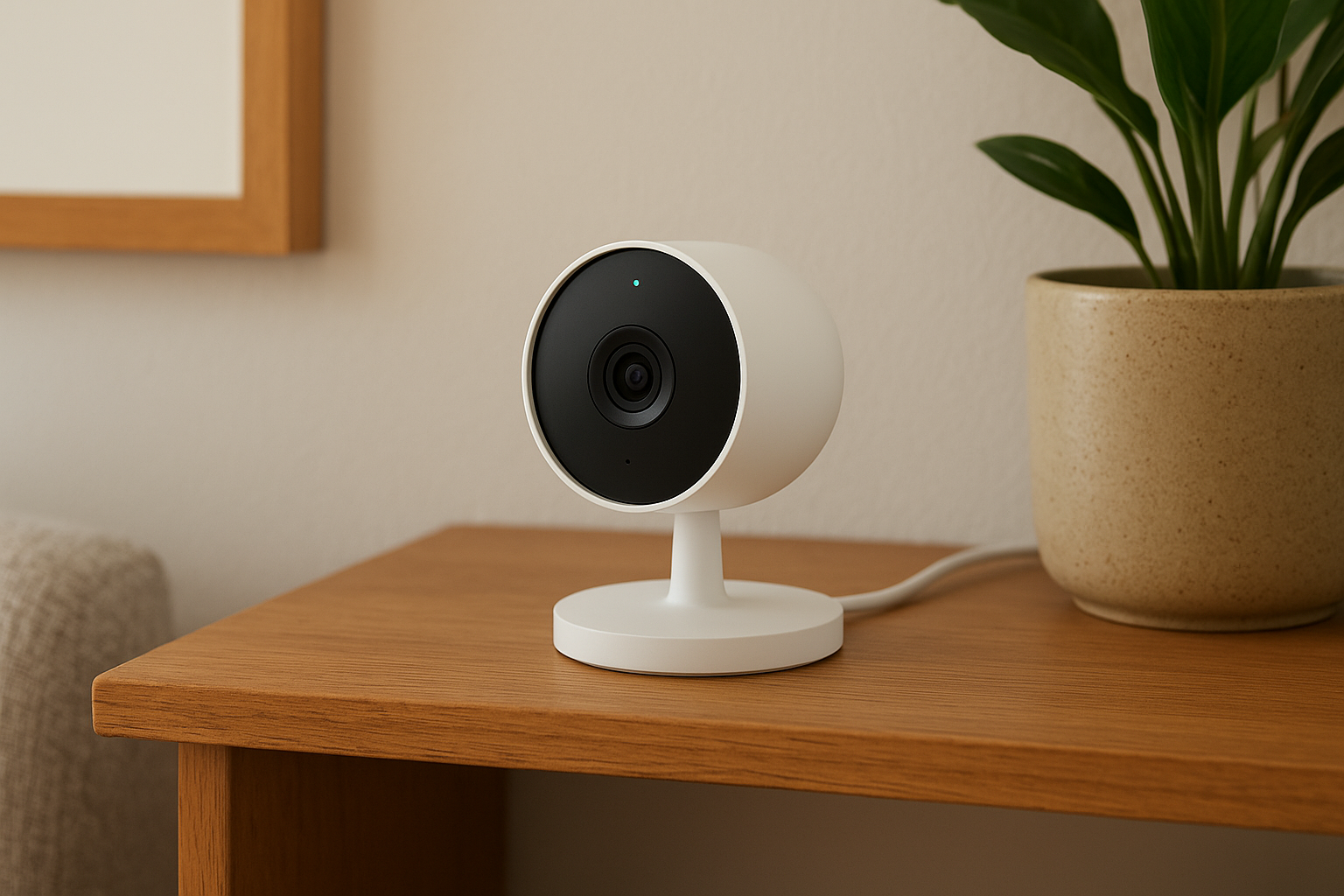
Nest cameras plug into standard electrical outlets, eliminating the need for professional wiring or battery maintenance. You place cameras on flat surfaces like shelves or mount them with simple brackets that don't damage walls. The compact design blends naturally with apartment decor rather than announcing its presence. Google's familiar face technology learns who belongs in your space over time, reducing false alerts from roommates or regular visitors.
Best use cases for renters
You'll find Nest cameras most valuable when you want intelligent person detection that distinguishes between familiar faces and strangers. The system excels at monitoring entry points while you're away at work. Renters who already use Google Assistant benefit from seamless voice control integration across their smart home devices. Package detection alerts help prevent theft in apartment hallways or common areas.
Nest's familiar face feature automatically recognizes approved people and adjusts alerts accordingly.
Setup and installation details
Installation requires just plugging in the camera and connecting it through the Google Home app. The process takes approximately 5 minutes per camera. You position the device, scan a QR code with your phone, and connect it to your Wi-Fi network. Google's app walks you through activity zone setup to focus monitoring on specific areas like your apartment door.
Costs and subscription options
Indoor Nest cameras start at $99 for wired models, with battery versions costing $179.99. The Nest Aware subscription costs $6 monthly for one camera or $12 monthly for unlimited cameras with 30 days of video history. You can view live feeds without a subscription but lose cloud recording capabilities.
7. Lorex wireless kits with local storage
Lorex specializes in high-resolution security cameras that store footage directly on your device rather than requiring cloud subscriptions. The company manufactures professional-grade equipment with features typically found in commercial installations. You get exceptional video quality up to 4K resolution combined with the flexibility to avoid recurring monthly fees. Lorex wireless kits solve the subscription fatigue problem many renters face with apartment security camera systems.
What makes it apartment friendly
Wireless Lorex cameras connect through Wi-Fi networks without requiring cable runs through your apartment walls. You mount cameras using battery power or minimal wiring depending on the model you choose. The local storage capability means you control your footage without depending on cloud services that might change terms or pricing. Lorex's magnetic and adhesive mounting options work for temporary installations that won't damage your rental property.
Best use cases for renters
You'll appreciate Lorex when you want premium video quality without ongoing subscription costs draining your budget. The color night vision technology captures clear footage in low-light conditions common in apartment hallways and parking areas. Renters concerned about privacy prefer local storage since footage stays on their devices rather than uploading to third-party servers. The extended recording capabilities work well for monitoring high-traffic areas like your apartment entrance.
Lorex's local storage eliminates monthly fees while giving you complete control over your footage.
Setup and installation details
Installation takes approximately 20 minutes per camera for wireless models. You position the camera, connect it to your Wi-Fi network through the Lorex app, and configure recording settings. The system guides you through motion detection zone setup to focus on specific areas. Battery-powered models require periodic recharging based on usage patterns.
Costs and subscription options
Lorex cameras range from $100 for basic wireless models to $300 for premium 4K versions with enhanced features. You store footage on microSD cards or compatible NVRs without monthly fees. Optional cloud backup costs extra but isn't required for full functionality.
8. EufyCam systems with local recording
EufyCam manufactures wireless security cameras that record directly to a local hub, eliminating cloud subscription requirements entirely. The company focuses on battery-powered cameras with extended operating times that last up to a year on a single charge. You get high-resolution video recording without recurring fees eating into your monthly budget. EufyCam systems compete directly with subscription-based apartment security camera systems by offering comparable features at a fraction of the long-term cost.
What makes it apartment friendly
The completely wireless design means you install cameras without running cables or drilling holes through walls. You mount cameras using adhesive strips or simple brackets that remove cleanly when you move. The HomeBase hub stores footage locally on internal storage, so you control your recordings without depending on cloud services. Battery life extends several months between charges, reducing the maintenance hassle in your rental property.
Best use cases for renters
You'll benefit from EufyCam when you want long-term security without accumulating subscription costs over your lease term. The system works best for monitoring entry doors and high-value areas where you need reliable recording. Renters who prioritize privacy prefer eufy's local storage since footage never uploads to external servers. The AI detection features help filter out false alerts from pets or passing shadows.
EufyCam's local storage saves you hundreds of dollars in subscription fees over a typical lease period.
Setup and installation details
Installation takes approximately 10 minutes per camera after you connect the HomeBase hub to your router. You position cameras within wireless range of the hub and pair them through the eufy Security app. The magnetic mounts attach to metal surfaces or stick to walls using adhesive backing.
Costs and subscription options
EufyCam kits start at $150 for two cameras with the HomeBase hub included. Individual cameras cost around $100 each. You get free local storage with every system, though optional cloud backup costs $2.99 monthly per camera if you want offsite redundancy.
9. Blink budget friendly camera kits
Blink delivers ultra-affordable wireless cameras backed by Amazon's infrastructure and support network. The company focuses on battery-powered simplicity that eliminates complex setup procedures and expensive equipment costs. You get basic security monitoring that covers essential apartment protection without the premium pricing of competitors. Blink cameras work best when you need straightforward video surveillance on a tight budget while maintaining the flexibility apartment security camera systems require.
What makes it apartment friendly
The cameras operate entirely on AA batteries that last up to two years, removing any need for electrical outlets or wiring. You mount devices using adhesive pads or simple brackets that stick to walls without leaving permanent marks. The lightweight construction means adhesive backing holds reliably without additional support. Blink's wireless operation lets you reposition cameras freely as your apartment needs change throughout your lease period.
Best use cases for renters
You'll find Blink most valuable when you need basic video monitoring without advanced detection features or high-resolution requirements. The system works well for monitoring entry doors and small spaces where budget constraints matter more than premium capabilities. Renters who already use Amazon Alexa devices benefit from built-in voice control integration.
Blink's two-year battery life eliminates the maintenance hassle of frequent charging cycles.
Setup and installation details
Installation takes approximately 5 minutes per camera after you connect the Sync Module to your router. You position the camera, insert batteries, and add it through the Blink app. The magnetic mounts attach quickly to any surface.
Costs and subscription options
Blink camera kits start at $99 for a three-camera bundle with the Sync Module included. Individual cameras cost around $35 each. The Blink Basic plan costs $3 monthly per camera for cloud storage, or you can store locally on a USB drive plugged into the Sync Module without fees.
10. Wyze plug in smart cameras
Wyze offers ultra-budget smart cameras that plug directly into power outlets and deliver surprisingly capable features for their low price point. The company disrupted apartment security camera systems by providing 1080p video quality at a fraction of competitors' costs. You get essential monitoring features including motion detection, two-way audio, and night vision without premium pricing. Wyze cameras work best when you need basic coverage on an extremely tight budget while maintaining decent video quality.
What makes it apartment friendly
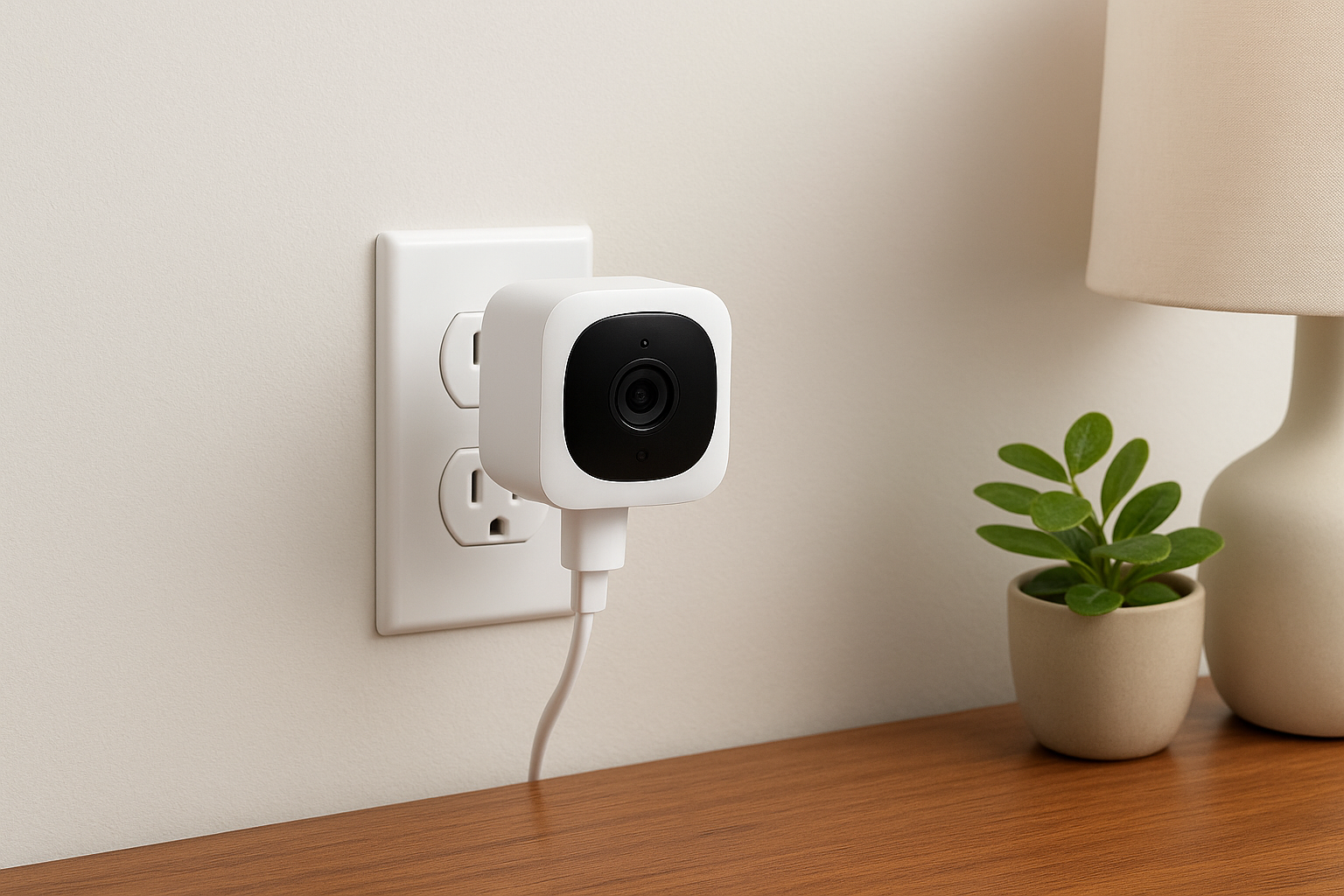
The plug-in design means you position cameras near existing electrical outlets without worrying about battery charging or replacement schedules. You mount devices using included adhesive pads that remove cleanly from painted walls when your lease ends. Wyze's compact size lets cameras blend naturally with apartment decor on shelves or side tables. The lightweight construction ensures adhesive mounting holds securely without additional hardware.
Best use cases for renters
You'll benefit from Wyze when you need continuous power for 24/7 recording without battery maintenance interruptions. The cameras work well for monitoring entry doors visible from interior outlets or watching common areas. Renters who want extremely affordable backup cameras to supplement a primary security system find Wyze cameras valuable. The person detection feature helps filter alerts in busy apartment buildings where motion happens frequently.
Wyze delivers 1080p video quality at prices that compete with basic webcams.
Setup and installation details
Installation takes approximately 5 minutes per camera once you download the Wyze app. You plug in the camera, scan a QR code displayed on your phone, and connect it to your Wi-Fi network. The magnetic base rotates 360 degrees for flexible positioning on flat surfaces.
Costs and subscription options
Wyze cameras cost $20 to $36 each depending on the model you choose. The Cam Plus subscription costs $1.99 monthly per camera for person detection and extended cloud storage. You get 14 days of free cloud storage for motion events without any subscription requirement.
11. Abode iota all in one security
Abode iota combines a security hub, gateway, and 1080p camera into a single compact device that eliminates multiple pieces of equipment. This all-in-one approach reduces installation complexity while maintaining professional-grade functionality. You get complete smart home integration with Apple HomeKit, Google Home, and Amazon Alexa through one device. The iota system supports CUE automation for creating sophisticated rules that go beyond basic security triggers, making it one of the most versatile apartment security camera systems for tech-savvy renters.
What makes it apartment friendly
The integrated design means you install one central device instead of separate hubs and cameras throughout your apartment. You connect wireless sensors using peel-and-stick adhesive backing that removes cleanly without damaging painted walls. The iota's built-in camera eliminates the need for a separate indoor camera, reducing the number of devices you mount or position.
Best use cases for renters
You'll benefit from iota when you want advanced home automation capabilities without managing multiple platforms or apps. The CUE system lets you create custom scenes that adjust lighting, locks, and security settings simultaneously. Renters who prioritize smart home integration across Apple, Google, and Amazon ecosystems find this flexibility valuable.
Abode's CUE automation creates sophisticated security rules without requiring a subscription.
Setup and installation details
Installation takes approximately 20 minutes for the iota and basic sensors. You position the hub with a clear view of your main entry, connect it to your Wi-Fi network, and pair sensors through the abode app.
Costs and subscription options
The iota Security Kit starts at $379.99 with door sensors and key fob included. The Standard plan costs $6.25 monthly for self-monitoring features, while the Pro plan adds professional monitoring at $16.58 monthly.
12. Cove with eufy cameras for renters
Cove pairs affordable professional monitoring with eufy's reliable camera hardware to create apartment security camera systems that balance quality and cost. The company focuses on miniaturized wireless sensors that practically disappear on door frames while delivering professional-grade protection. You get Cove's monitoring infrastructure combined with eufy's proven camera technology that stores footage locally to avoid ongoing cloud fees. This partnership gives renters access to professional monitoring without the premium pricing competitors charge for similar features.
What makes it apartment friendly
Cove's sensors use peel-and-stick mounting that preserves your security deposit by avoiding permanent wall damage. The equipment connects through Wi-Fi and cellular backup, eliminating the need for hardwired installations. eufy cameras integrate seamlessly with battery power options that last months between charges. You can take down the entire system when your lease ends and reinstall it at your next apartment without professional help.
Best use cases for renters
You'll benefit from Cove when you want professional monitoring at budget-friendly rates starting at just $19.99 monthly. The system works best for renters who need reliable security with flexible contract terms that don't extend beyond lease periods. Families monitoring small children or pets appreciate the customizable alert settings that reduce false alarms.
Cove's $19.99 monitoring costs less than most streaming services while protecting everything you own.
Setup and installation details
Installation takes approximately 25 minutes for a complete starter system. You position the hub centrally, attach sensors using adhesive backing, and connect eufy cameras through the Cove app. The compact sensor design means they blend naturally with your apartment's existing hardware.
Costs and subscription options
Starter systems begin at $99 with frequent discounts reducing the upfront investment significantly. The Basic monitoring plan costs $19.99 monthly without camera support, while the Cove+ plan adds camera integration at $29.99 monthly. eufy cameras store footage locally to eliminate separate cloud storage fees.
13. Reolink Wi Fi apartment camera kits
Reolink manufactures Wi-Fi security cameras that combine affordable pricing with professional-grade video quality and features. The company specializes in dual-band connectivity that maintains reliable streaming even in crowded apartment buildings where Wi-Fi congestion causes problems for other systems. You get clear 1080p or higher resolution video without paying premium prices that competitors charge for similar specifications. Reolink kits provide everything you need for complete apartment coverage without requiring complex networking equipment or monthly cloud subscriptions.
What makes it apartment friendly
Reolink cameras connect through your existing Wi-Fi network without requiring cable runs or permanent electrical modifications to your rental property. You mount devices using included brackets and adhesive pads that remove cleanly when your lease ends. The dual-band Wi-Fi capability ensures stable connections even when your neighbors' networks create interference. Battery-powered models eliminate the need for nearby outlets in locations where power access proves difficult.
Best use cases for renters
You'll benefit from Reolink when you need reliable outdoor monitoring without drilling into exterior walls or running conduit. The weatherproof designs handle harsh conditions while the person and vehicle detection filters out irrelevant motion alerts. Renters who want professional video quality for identifying faces or license plates find Reolink's resolution and night vision capabilities valuable.
Reolink's dual-band Wi-Fi handles congested apartment networks better than single-band competitors.
Setup and installation details
Installation takes approximately 15 minutes per camera after you download the Reolink app. You position the camera within Wi-Fi range, connect it through the app, and adjust motion detection zones. The magnetic mounts attach quickly to metal surfaces or stick to painted walls.
Costs and subscription options
Reolink cameras start at $50 for basic models with 1080p resolution. You store footage on microSD cards at no monthly cost, eliminating subscription requirements entirely. Optional cloud backup costs $3.49 monthly if you want offsite redundancy.
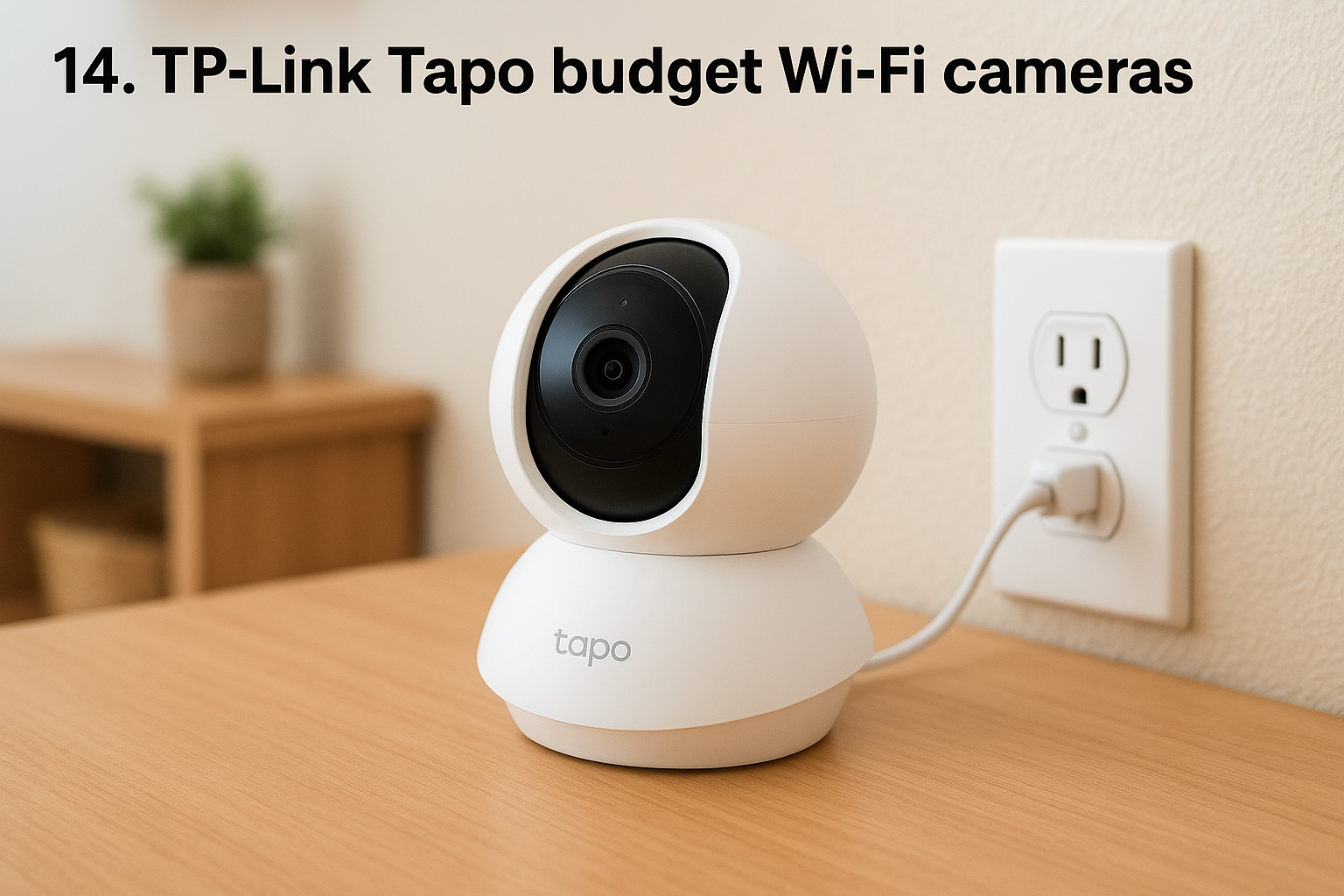
14. TP Link Tapo budget Wi Fi cameras
TP-Link Tapo cameras deliver reliable Wi-Fi connectivity backed by a networking company with decades of router and connectivity expertise. The brand manufactures budget-friendly smart cameras that leverage TP-Link's proven wireless technology to maintain stable connections in challenging apartment environments. You get solid performance without the premium pricing that apartment security camera systems from dedicated security brands command. Tapo cameras work best when you need dependable basic monitoring that integrates with existing TP-Link networking equipment already in your rental.
What makes it apartment friendly
Tapo cameras plug into standard electrical outlets without requiring permanent wiring modifications to your apartment. You mount devices using included brackets or place them on flat surfaces like shelves and counters. The compact design blends naturally with apartment decor rather than looking like obvious security equipment. TP-Link's networking expertise ensures stable Wi-Fi performance even when multiple devices compete for bandwidth in your rental.
Best use cases for renters
You'll benefit from Tapo when you want affordable continuous recording without battery charging interruptions. The cameras work well for monitoring entryways and living areas where electrical outlets provide convenient power access. Renters who already use TP-Link routers appreciate the simplified setup through familiar networking interfaces.
Tapo cameras leverage TP-Link's networking expertise for more reliable Wi-Fi performance.
Setup and installation details
Installation takes approximately 5 minutes per camera after downloading the Tapo app. You plug in the device, scan a QR code with your phone, and connect it to your Wi-Fi network.
Costs and subscription options
Tapo cameras cost $25 to $40 each depending on features. You get free local microSD storage up to 512GB without subscription requirements. Optional cloud storage costs $2.99 monthly per camera.
15. Swann wireless security camera kits
Swann produces wireless security camera kits that combine professional-grade hardware with DIY installation flexibility at competitive price points. The Australian company manufactures comprehensive multi-camera packages designed for complete property coverage rather than piecemeal expansion. You get weatherproof cameras, local storage options, and long wireless range that works in larger apartment buildings where signal strength becomes a concern. Swann kits provide everything you need in one box without requiring separate purchases to achieve full functionality.
What makes it apartment friendly
Swann's wireless cameras connect through Wi-Fi networks without requiring cable runs through your apartment walls. You mount cameras using adjustable brackets that attach with minimal hardware or adhesive options that avoid permanent modifications. The wireless range extends further than many competitors, ensuring stable connections even in larger apartment complexes where distance from your router matters.
Best use cases for renters
You'll benefit from Swann when you need multiple cameras covering several areas at once rather than buying individual units over time. The kits work well for monitoring parking areas and building entrances where you want to capture activity beyond your immediate doorway. Renters who plan extended lease terms appreciate the value of buying complete coverage upfront.
Swann's multi-camera kits cost less per camera than buying individual units separately.
Setup and installation details
Installation takes approximately 20 minutes per camera after connecting the wireless receiver to your network. You position cameras within range, pair them through the SwannView app, and adjust recording settings.
Costs and subscription options
Swann wireless kits start at $200 for two-camera systems with local storage included. You record footage to microSD cards at no monthly cost, eliminating subscription requirements completely.
Final thoughts
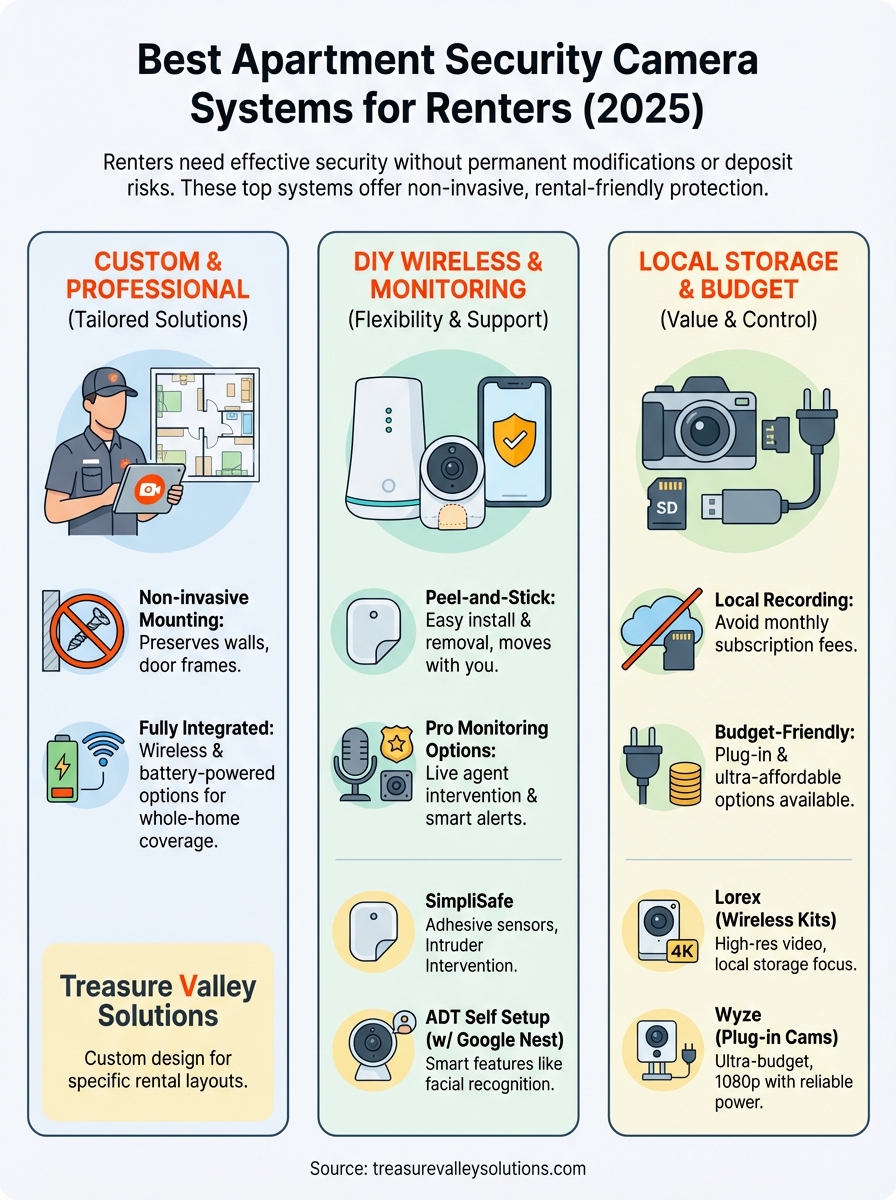
You now have 15 solid options for protecting your apartment without risking your security deposit or breaking your budget. Each system on this list offers rental-friendly installation that respects lease restrictions while delivering real protection. Budget options like Wyze and Blink get you started for under $100, while premium choices like Arlo and ADT Self Setup provide advanced features when you need them. The right apartment security camera systems depend on your specific needs, whether that's local storage, professional monitoring, or smart home integration.
Custom solutions often work best for unique layouts or specific security concerns that off-the-shelf kits can't address. Professional installation eliminates guesswork and ensures optimal camera placement from the start. Contact Treasure Valley Solutions to discuss apartment security options tailored to your exact situation and lease requirements.